What does a Meesho catalog actually need?
Images at 1000x1000 square, a clean background, and no logo, watermark, promotional text or price tag on the primary shot. Then the attributes — category, size, colour, fabric — filled completely, because a blank mandatory field fails the upload as surely as a bad photo.
Meesho accepts 500x500 as a minimum but shows higher-resolution images more prominently, so the larger size costs nothing and earns placement.
Start with 10 to 20 products. A small catalog that clears QC teaches you the rules in 1 cycle; 200 rejected at once gives you an error list instead of an answer.
How do you build a catalog that passes first time?
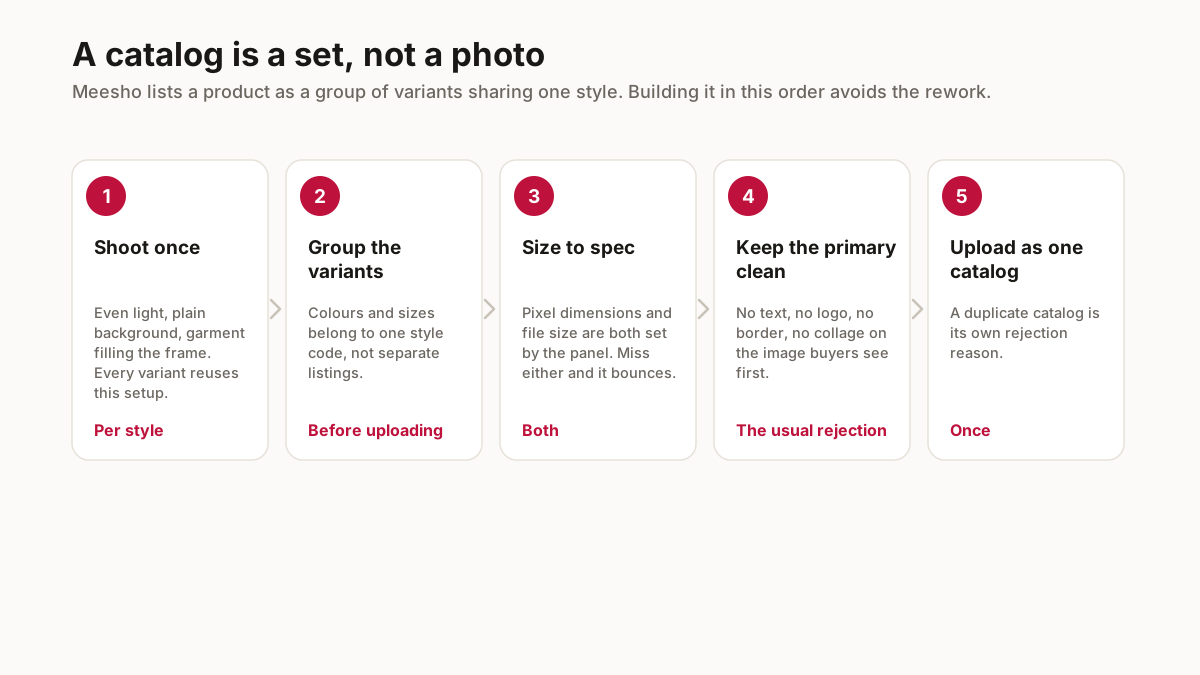
Shoot flat on a white sheet in daylight, then square-crop to 1000x1000. Most rejections come from a background that is not clean rather than from the photograph being poor.
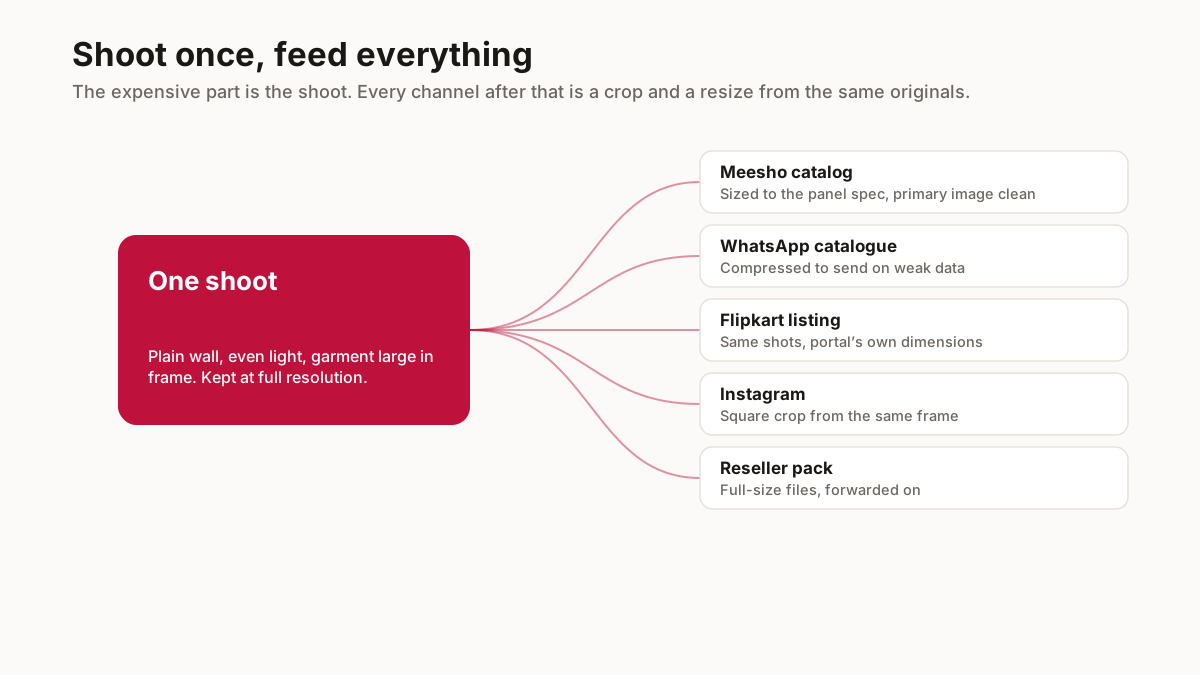
Keep 2 versions of every image: the plain one for the marketplace catalog, and a branded one carrying your shop name for WhatsApp and Instagram. The branded copy on a Meesho primary image is an automatic rejection.
Name the files by SKU before uploading. A folder where the image is KRT-RED-L-004.jpg rather than IMG_20260818.jpg removes the most common catalog error, which is the right title against the wrong colour.
What makes a catalog sell once it is live?
The first image, and almost nothing else at the point of the scroll. A buyer sees a thumbnail a few hundred pixels wide and decides in under a second, so a sharp, well-lit, correctly-cropped hero does more than any description.
Then the size chart. Publishing garment measurements instead of body measurements is the single change that most reduces apparel returns, and returns are what decide whether the month was profitable.
Then price. Cotton kurtis in the ₹350 to ₹650 band do the volume on Meesho; above ₹1,500 the same buyer expects a brand.
What is a catalog, as Meesho means it?
A group rather than a photograph. A single style with its colours and its sizes is one catalog, and the variants inside it share a style code that tells the platform they belong together. Sellers who upload each colour as a separate listing end up competing with themselves and splitting whatever ranking signal the style earns.
That grouping is also what a buyer sees as size and colour options on one page instead of five near-identical results. It is worth getting right the first time, because reorganising variants after a catalog is live is meaningfully harder than structuring them correctly before upload.
The images are per variant, not per catalog. Each colour needs its own photographs, shot in the same setup so the set looks like one product in several colours rather than five different photo sessions. Consistency across the group reads as professional far more than any single image does.
Get the grouping decided before the shoot rather than after. Knowing you are photographing one style in four colours changes how you set up, and it is much cheaper than discovering it at upload.
What separates a catalog that sells from one that merely passes?
Passing QC and selling are different bars, and clearing the first tells you almost nothing about the second. A catalog can be perfectly compliant — clean primary image, correct dimensions, no text — and still convert badly because the photographs do not answer the questions a buyer has.
The most common gap is scale. A garment photographed alone against a wall gives no sense of how long it is or how it sits, and buyers resolve that uncertainty by not ordering, or by ordering and returning. A shot that establishes proportion does more for conversion than any amount of image polish.
The second is the detail shot. Fabric, weave and finish are what a buyer zooms into, and a catalog with five photographs of the same view at slightly different angles has spent its slots without answering anything. One clean overall, one that shows scale, one close on the fabric, one on the back — that covers more than most listings manage.
The third is the description doing work the images cannot. Length in inches, what the set includes, whether it is stitched. Every one of those is a message you would otherwise answer by hand, or a return you would otherwise absorb.
Related free seller tools
Frequently Asked Questions
How do I make a Meesho catalog?
Photograph products at 1000x1000 square on a clean background, keep the primary image free of logos, watermarks and price tags, then fill every mandatory attribute. Start with 10 to 20 products so a rejection teaches you the rule cheaply.
What image size does a Meesho catalog need?
1000x1000 pixels square is recommended. The accepted minimum is 500x500, but higher-resolution images are shown more prominently and the extra pixels cost nothing.
Can I put my shop name on Meesho catalog images?
Not on the primary image — it is an automatic rejection. Keep 2 versions: a plain one for the marketplace and a branded one for WhatsApp and Instagram.
Why does my Meesho catalog get rejected?
Most often the image — branding on the primary shot, dimensions under 500x500, or a background that is not clean. Category and attribute mismatches are the next most common cause.
How many products should a first catalog have?
10 to 20. A small catalog that clears QC teaches you the rules in one cycle, while 200 rejected together gives you an error list instead of an answer.
Is each colour a separate Meesho catalog?
No. A single style with its colours and sizes is one catalog, with the variants sharing a style code. Uploading each colour separately makes you compete with yourself and splits whatever ranking the style earns.
Why does my catalog pass QC but not sell?
They are different bars. The usual gaps are scale — a garment shot alone gives no sense of length or proportion — and missing a proper fabric close-up, which is what buyers zoom into before deciding.
Free, no signup. Everything runs in your browser — nothing is uploaded.