Increase Image Size — in KB for Forms, or in Pixels for Print
Two different jobs, and portals mean the first one. Push a file above a minimum KB limit, or enlarge a small photo up to 400% (4K) with AI detail reconstruction. Both free.
Quick Answer
To increase image size in KB, raise the file’s quality and dimensions until it clears the portal’s minimum — set a target range and the tool pads the file up to it. To increase image size in pixels without blur, you need an AI upscaler that reconstructs detail rather than stretching it. Portals that quote KB want the first; printing wants the second.
How to Increase Image Size Online
- Upload: Drop your image (JPG, PNG, WebP) into our tool.
- Select Factor: Choose 2x (Double) or 4x (Quadruple) resolution.
- Process: Our AI engine creates the enlarged image in seconds.
- Download: Get your high-res, print-ready file for free.
Why use this instead of standard resize?
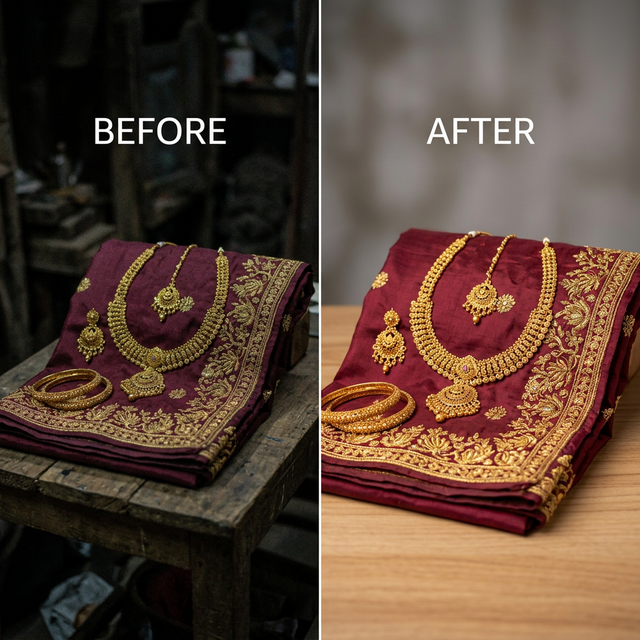
Standard resizing (interpolation) just makes existing pixels larger, resulting in "blocky" or blurry images. Our AI enlarger understands the subject (fabric, texture, edges) and draws new high-fidelity pixels to match.
Start Enlarging NowIncrease image size in KB (the portal minimum problem)
Government and marketplace upload forms usually state a range, not a ceiling — “20KB to 50KB”, “50KB to 100KB”. A phone photo saved through a messaging app often lands under the floor, and the form rejects it for being too small. That is a compression problem, not a resolution problem: the picture is fine, the file is just too light.
How to push a file above the minimum
- Open the range resizer and enter the form’s own numbers as the minimum and maximum KB.
- Upload the photo. The tool raises quality and dimensions until the file lands inside the range.
- Download and upload it to the portal — the output is a standard JPEG.
Which tool for which job
If the form quotes KB, you want the range resizer. If you need more pixels — printing, a large listing image, a blurry photo — you want the AI upscaler below.
Increase Image Size in KBOr set an exact KB targetFrequently Asked Questions
Ready to Enlarge Your Photos?
Experience the world's most powerful free image size increaser online. No watermarks, no sign-up.
Increase Image Size Now